An API key is optional. Without one, CyborgDB runs in free tier with a limit of 1,000,000 items per index. A paid API key removes that limit. This guide walks you through signing up and generating an API key.
Enter your email address and create a secure password
Verify your email address by clicking the link sent to your inbox
Complete your profile setup
Your account starts with access to free API keys by default.
2
Choose Your Plan (Optional)
If you need production capabilities, upgrade to a paid plan.
Navigate to the “Billing” section in your dashboard
Review the available plans and features
Select the plan that best fits your needs
Complete the payment setup
Plan Disclosure: Paid plans remove the 1M item limit per index. Free plans and keyless use have a 1M item limit per index. You can always start free and upgrade later.
3
Generate Your API Key
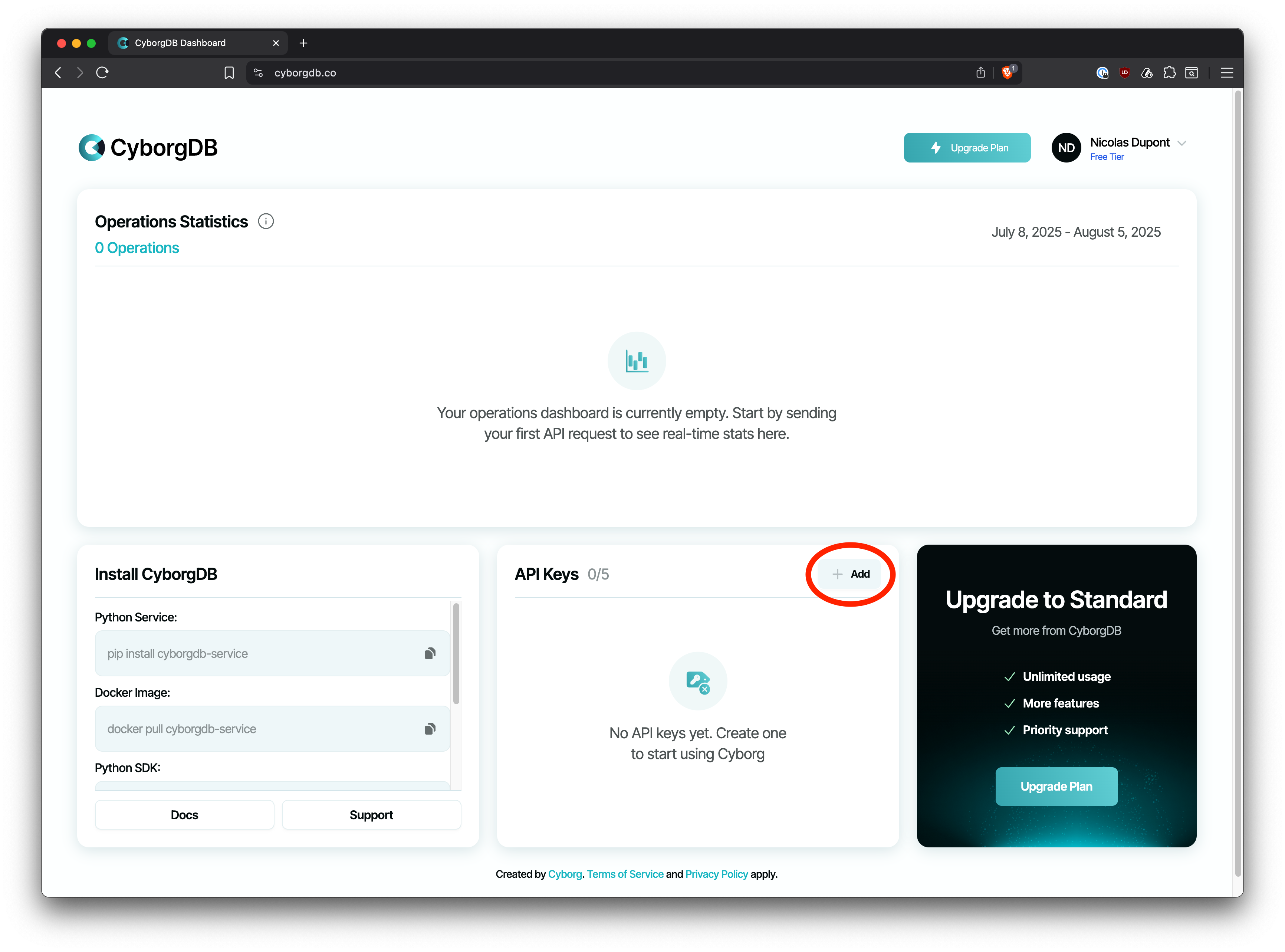
Create a new API key from your dashboard.
In your CyborgDB dashboard, locate the “API Keys” section
Click the “Add” button next to “API Keys”
CyborgDB Dashboard - API Keys Section
4
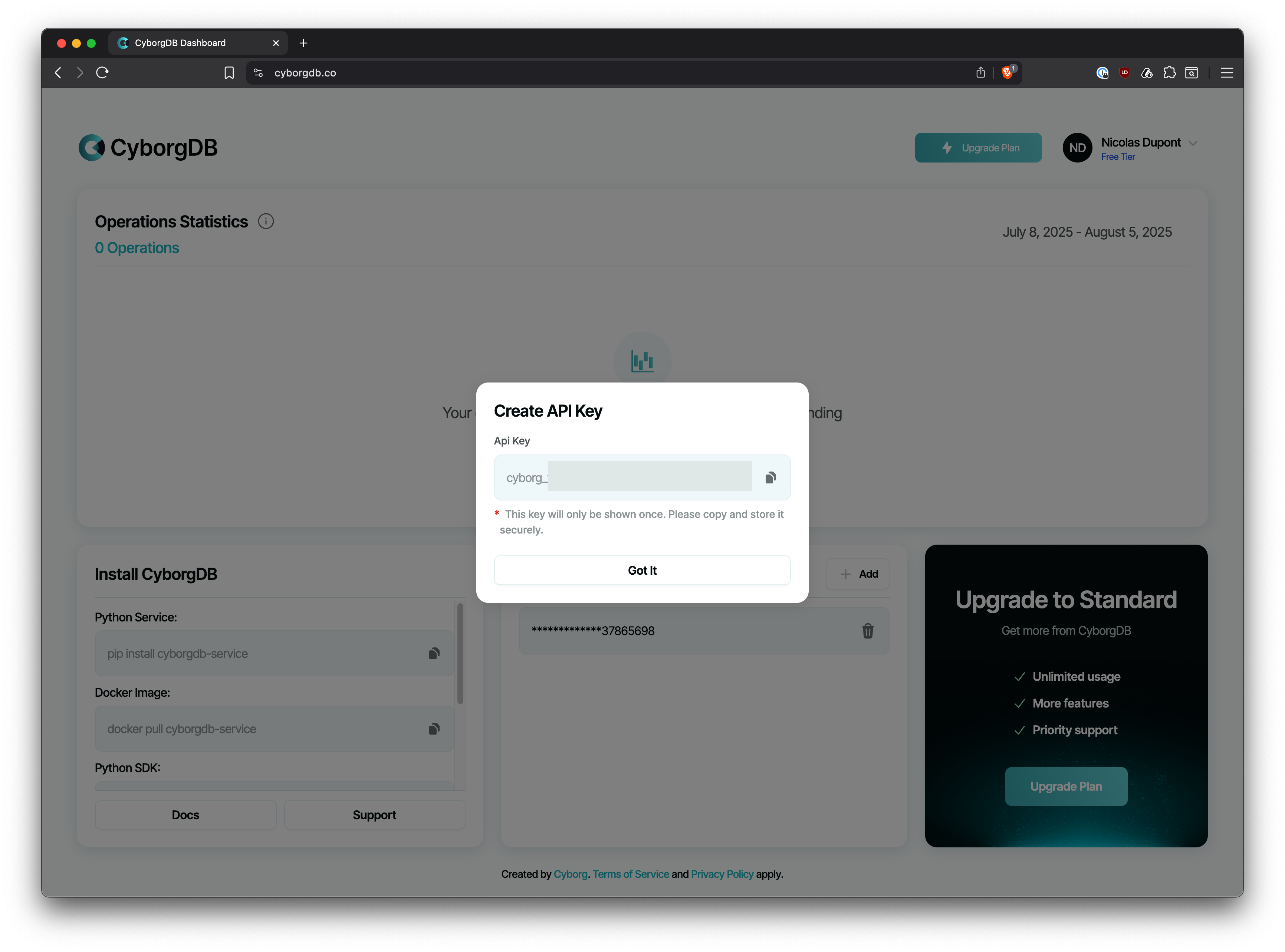
Copy and Secure Your API Key
Your API key will be generated and displayed.
CyborgDB Dashboard - API Key Generated
Important: Copy your API key immediately and store it securely. For security reasons, you won’t be able to see the full key again after leaving this page.
Best Practices:
Store your API key in environment variables, not in your code
Never commit API keys to version control
Use different keys for development and production environments
Once you have your API key, you can use it with any CyborgDB deployment.
With CyborgDB Service, the API key is set on the server as CYBORGDB_API_KEY. Client SDKs do not send this key; when authentication is enabled, they authenticate to the service with the service root key or a per-user token. See Environment Variables.